See inside
The trick behind a unified model is two vision paths, one brain. For
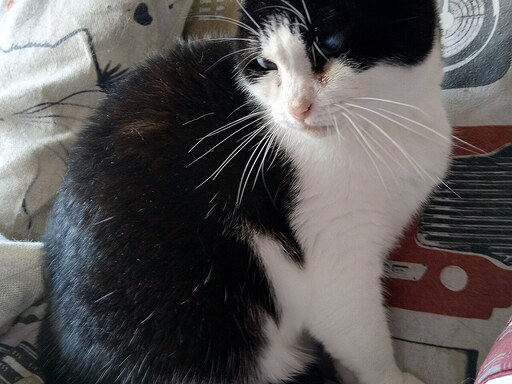
understanding, your image goes through a SigLIP encoder into ~576 vision tokens that sit
in the prompt next to your words, and the shared LLM reads the whole sequence and writes an
answer. For generation, there's no input image — the LLM instead emits 576
discrete image tokens one at a time, and a separate VQ decoder turns that grid back into pixels.
Same weights, two front doors.
Constructed prompt (understanding)
Ask about an image to see the templated prompt.
Token stream (value · ms since start)
Text tokens (understanding) appear here as they're generated. In generation mode, watch the 24×24 grid above fill in.
Why it matters
Until now, "read this image" and "draw this image" were two different models, two downloads, two
APIs. Janus-Pro folds both into a single ~1B model you can ship to a browser tab — private,
offline-capable after first load, free per call. One asset unlocks a round-trip: see → describe →
imagine → draw.
- On-device creative tools — generate icons, illustrations, or mood images from a prompt with no image-API bill and no content leaving the device.
- Visual Q&A + captioning — describe photos, read signs, answer questions about a screenshot, all client-side.
- Closed-loop agents — one model can both look at its own generated output and critique or re-describe it, without a second network.
- Offline multimodal — after the first load, understanding and generation both work with no connection.
How the API works
Both paths load the same processor and model. Understanding calls generate
with an image placeholder in the conversation; generation switches the chat template to
text_to_image and calls generate_images, which decodes the emitted image
tokens into a RawImage:
import { AutoProcessor, MultiModalityCausalLM } from "@huggingface/transformers";

const model_id = "onnx-community/Janus-Pro-1B-ONNX";
const processor = await AutoProcessor.from_pretrained(model_id);           // → VLChatProcessor
const model = await MultiModalityCausalLM.from_pretrained(model_id, { device: "webgpu", dtype: {…} });

// (a) Understanding: image + text → text
const conv = [{ role: "<|User|>", content: "<image_placeholder>\nWhat is this?", images: [url] }];
const inputs = await processor(conv);
const out = await model.generate({ ...inputs, max_new_tokens: 200, do_sample: false });
console.log(processor.batch_decode(out.slice(null, [inputs.input_ids.dims.at(-1), null]), { skip_special_tokens: true })[0]);

// (b) Generation: text → image
const gconv = [{ role: "<|User|>", content: "a red fox in autumn leaves" }];
const ginputs = await processor(gconv, { chat_template: "text_to_image" });
const n = processor.num_image_tokens;                                       // 576
const images = await model.generate_images({ ...ginputs, min_new_tokens: n, max_new_tokens: n, do_sample: true });
await images[0].save("out.png");
This page runs exactly that, in a Web Worker, and gates on a real WebGPU adapter first — if none exists it shows a labelled needs-WebGPU state instead of a fake image.