zero-shot-object-detection · vision + language · WASM · ~400 MB
OWLv2 — detect anything you can describe in an image
Ordinary detectors only know the classes they were trained on. OWLv2 is open-vocabulary: you type
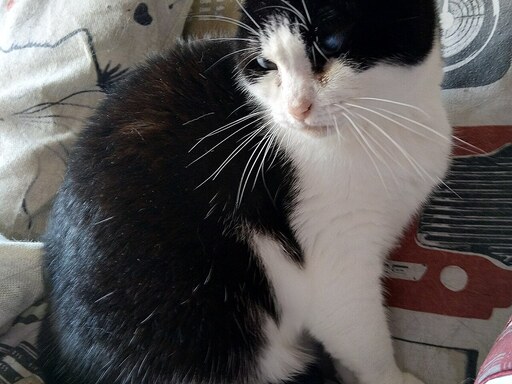
the objects you want as free text — a cat, a remote control,
a person wearing red — and it embeds each phrase and each image region into a shared
space, then boxes the regions that match. New label set, no retraining, all on your device.
Open — any text query you provide at runtime (no fixed class list)
Quantization
q8 (8-bit) ONNX
Backend
WebAssembly (runs anywhere; no WebGPU needed)
Download
~400 MB, cached after first load
License
Apache-2.0 (Google OWLv2)
Web APIs
WebAssembly, Web Workers, Canvas, FileReader — all Baseline widely available
OWLv2 is a big model and runs on the CPU here, so the first detect after loading can take a few
seconds — honest progress is shown, and it is genuinely running on your device.
Run it
Pick or drop an image, type the objects you want as comma-separated text, and hit Detect. OWLv2 runs once at a low floor; the score slider then filters the boxes live without re-running the model.
Drop an image here, or click to choose
backend –latency –queries –boxes shown –
See inside
OWLv2 turns every text query into a vector and every candidate image region into a vector in the
same space, then scores each region against each query by similarity — that score is what
the threshold filters. Below is the real output: a per-query summary (how many regions matched and
the best score), then the raw boxes with their matched query and pixel coordinates. This is what
the model returned — no post-processing beyond the score filter.
Run detection to see per-query scores and the raw boxes.
candidates above floor –shown at threshold –queries matched –
query
matches
best score
#
query
score
x
y
w
h
Why it matters
Every fixed-class detector forces the same question: "is your object one of the 80 it knows?" If
not, you collect a dataset and fine-tune. OWLv2 removes that step — the class list is an
input, typed at runtime, in the browser, for free. That turns bespoke detection from a
training project into a text box.
Custom on-device inventory / inspection — find "a forklift", "a safety helmet", or "an empty shelf" without training a model per site, and with nothing uploaded.
Zero-setup visual search — let users describe what to find in their own photos ("my passport", "a red mug") and box it locally.
Content triage & moderation — box regions matching policy phrases before an image is shared, all client-side.
Region proposals for other models — OWLv2 finds "where"; hand each region to a segmenter or captioner for "what exactly", chaining tiny local models.
Open-vocabulary detection is a one-liner with Transformers.js — the query list is just an argument:
import { pipeline } from "@huggingface/transformers";

const detect = await pipeline(
  "zero-shot-object-detection",
  "Xenova/owlv2-base-patch16-ensemble",
); // downloads + caches ~400 MB once

const queries = ["a cat", "a remote control", "a person wearing red"];
const output = await detect(imageURL, queries, { threshold: 0.1, percentage: false });
// → [{ label: "a cat", score: 0.29, box: { xmin, ymin, xmax, ymax } }, …]
//   label is the matched query; percentage:false gives pixel coordinates
This page runs the model once at a low floor threshold inside a Web Worker, caches every box, and
filters the cached list as you drag the slider — so the slider is instant and never re-runs
inference. Changing the query text re-runs the model (new text embeddings). The canvas is drawn at
the image's natural resolution and scaled by CSS, so boxes stay pixel-accurate.