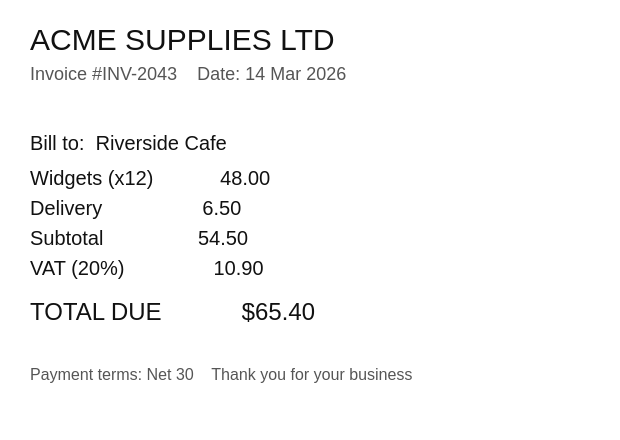
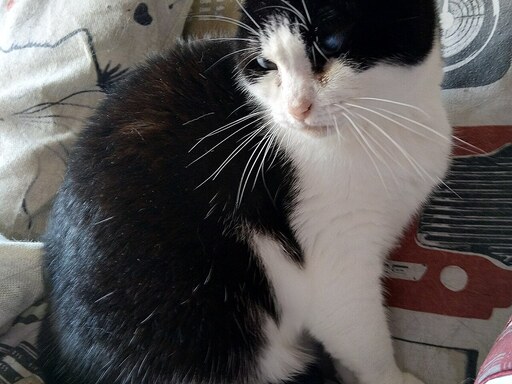
See inside
A VLM doesn't "see" — it reads a sequence of tokens where your image has been turned into a block
of vision tokens and slotted into a chat template alongside your words. Qwen2-VL wraps the turn in
its ChatML format (<|im_start|> … <|im_end|>) with an
<|vision_start|>…<|vision_end|> span standing in for the image patches.
Below is the exact templated prompt the model receives, and the live
token stream with the time each token arrived — so you can watch it think and see
where the latency goes.
Constructed chat template
Run a generation to see the templated prompt.
Token stream (value · ms since start)
Tokens appear here as they're generated.
How the API works
Qwen2-VL in Transformers.js uses a dedicated model class. You build a chat message whose content
mixes an image placeholder and text, template it, run the processor over the templated text plus
the image, then generate — streaming tokens as they come:
import { AutoProcessor, Qwen2VLForConditionalGeneration, RawImage, TextStreamer }
  from "@huggingface/transformers";

const model_id = "onnx-community/Qwen2-VL-2B-Instruct";
const processor = await AutoProcessor.from_pretrained(model_id);
const model = await Qwen2VLForConditionalGeneration.from_pretrained(model_id, {
  dtype: { embed_tokens: "fp16", vision_encoder: "fp16", decoder_model_merged: "q4f16" },
  device: "webgpu",                        // WebGPU required
});

const image = await (await RawImage.read(imageURL)).resize(448, 448);
const conversation = [
  { role: "user", content: [{ type: "image" }, { type: "text", text: prompt }] },
];
const text = processor.apply_chat_template(conversation, { add_generation_prompt: true });
const inputs = await processor(text, image);

const streamer = new TextStreamer(processor.tokenizer,
  { skip_prompt: true, skip_special_tokens: true, callback_function: (t) => append(t) });
await model.generate({ ...inputs, max_new_tokens: 200, do_sample: false, streamer });
This page runs exactly that, in a Web Worker, and gates on a real WebGPU adapter first — if none exists it shows a labelled needs-WebGPU state instead of a fake answer. If the GPU backend itself crashes inside the model (a known ORT WebGPU issue with this ONNX build on some browser/GPU/driver combinations), the page says so plainly with what you can do next — the raw kernel text is demoted to a collapsed technical detail, never the headline.