image-to-text · vision → language · WASM · ~250 MB
ViT-GPT2 — write a sentence about any picture
A Vision Transformer reads the image; a GPT-2 decoder writes about it, one word at a time. The
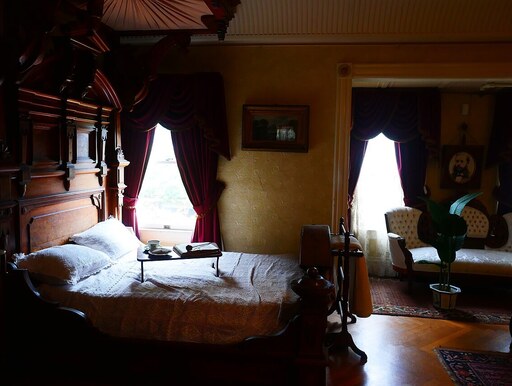
result is a plain-English caption — a cat laying on top of a bed — generated
entirely on your device, no captioning API in sight.
Free-form English caption, generated token by token
Quantization
q8 (8-bit) ONNX — separate encoder + decoder graphs
Backend
WebAssembly (runs anywhere; no WebGPU needed)
Download
~250 MB, cached after first load
License
Apache-2.0 (nlpconnect/vit-gpt2-image-captioning)
Web APIs
WebAssembly, Web Workers, FileReader — all Baseline widely available
Run it
Pick or drop an image and hit Caption. Words appear as the decoder generates them — that streaming is the real generation, not an animation.
Drop an image here, or click to choose
backend –tokens –total –speed –
See inside
Captioning is autoregressive: after the ViT encoder turns the image into patch
embeddings once, the GPT-2 decoder produces the caption one token at a time, each token
conditioned on the image and everything written so far. The trace below shows every token
as it arrived, with the elapsed time — you can literally watch the sentence being built and see
where the model hesitates. The first token is the slow one (it includes the image encode); the
rest come faster.
Generate a caption to see the token-by-token trace.
first token –tokens/sec –
Why it matters
A caption is structured meaning you can act on — search it, read it aloud, translate it, gate on
it. Doing it locally makes it free, private, and offline-capable, which changes where you can put
it.
Accessibility at scale — auto-generate alt text for user-uploaded images so screen-reader users aren't left with "image".
Searchable media libraries — turn a folder of untitled photos into text you can full-text search, without uploading a single file.
Content pipelines — draft social captions, product blurbs, or thumbnail descriptions client-side, then let a human polish.
Assistive & offline capture — describe what a camera sees on-device, useful for low-connectivity or privacy-sensitive settings.
import { pipeline } from "@huggingface/transformers";

const captioner = await pipeline(
  "image-to-text",
  "Xenova/vit-gpt2-image-captioning",
); // downloads + caches ~250 MB once

const output = await captioner(imageURL, { max_new_tokens: 30 });
// → [{ generated_text: "a cat laying on top of a bed" }]
For "See inside", this page passes a TextStreamer into the same call. The streamer's
callback fires once per decoded token, so the page can render the caption as it forms and record
each token's arrival time — all off the main thread in a Web Worker, so the page never janks.