Segment Anything, slimmed to 77M parameters and running on your device. Point at anything in an
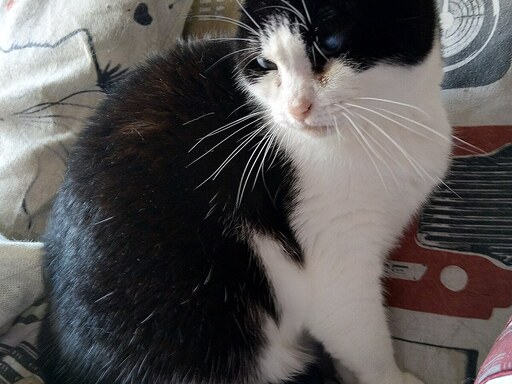
image — a cat, a lamp, a single book — and SlimSAM returns a pixel-perfect mask of just that
thing. The heavy vision encoder runs once; every extra click is near-instant.
WebAssembly, Web Workers, Canvas, FileReader — all Baseline widely available
Run it
Load the model, pick an image (embedding runs once), then click anywhere on the picture — or use the point buttons / arrow keys — to get the mask of whatever's under the point.
Drop an image here, or click to choose
Keyboard: focus the image, move the crosshair with arrow keys, press Enter to segment. Or jump to a preset point:
backend –encode –segment –IoU –
See inside
For one point SAM predicts three candidate masks at different scales (the part,
the thing, the whole region) and rates each with a predicted IoU — its own guess
of how good the mask is. The page shows the highest-scoring one. Below are the raw numbers: the
point you prompted with, all three IoU scores, which mask won, and its pixel area.
Click a point to see the raw mask numbers.
Predicted IoU of the shown mask: –
Prompt point (normalized)
–
Candidate IoU scores
–
Chosen mask
–
Mask area
–
Why it matters
Selecting exactly one object out of a photo used to mean tedious manual masking or a round-trip to
a segmentation API. SlimSAM makes "click the thing I mean" a local, interactive operation — the
building block under smart selection, cut-out, and annotation tools.
Interactive cut-out — click a subject and lift it onto a transparent background for stickers, collages, or product shots.
Smart selection — a "magic select" tool in a browser image editor, with no server and no upload.
Annotation & labelling — turn one click into a precise segmentation label, slashing the cost of building vision datasets.
Compose with detection — pair with DETR: detect boxes, then segment the one you tap for an exact mask (see the multi-model demo).
Point-prompted SAM uses SamModel directly. Encode the image once, then decode per click:
import { SamModel, AutoProcessor, RawImage, Tensor } from "@huggingface/transformers";

const model = await SamModel.from_pretrained("Xenova/slimsam-77-uniform");
const processor = await AutoProcessor.from_pretrained("Xenova/slimsam-77-uniform");

// 1. Encode the image ONCE (the expensive part) and cache the embeddings:
const image = await RawImage.read(imageURL);
const imageInputs = await processor(image);
const embeddings = await model.get_image_embeddings(imageInputs);

// 2. Per click, decode a mask from a point (scaled into the model's input space):
const [rH, rW] = imageInputs.reshaped_input_sizes[0];
const input_points = new Tensor("float32", [nx * rW, ny * rH], [1, 1, 1, 2]);
const input_labels = new Tensor("int64", [1n], [1, 1, 1]); // 1 = foreground
const out = await model({ ...embeddings, input_points, input_labels });

const masks = await processor.post_process_masks(
  out.pred_masks, imageInputs.original_sizes, imageInputs.reshaped_input_sizes,
); // masks[0]: [1, 3, H, W] bool — pick the one with the best out.iou_scores
This page runs all of that in a Web Worker and caches the embeddings, so the first click pays for
the vision encoder and every click after is just the lightweight mask decoder.