← All models · TrOCR

use case · practical

Practical: digitise a receipt

A single-line reader becomes a document scanner when you feed it one line at a time. Box a line, read it, and it drops into a list you can edit and copy — the workflow behind expense capture and paperwork digitisation, running entirely on your device with nothing uploaded.

Drop a receipt/document image, or click to choose
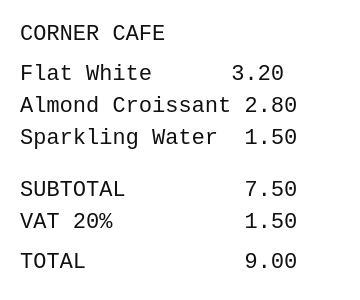
A small café receipt with several lines A receipt line reading Grand Total $42.99

Drag a box around one line, then click Read line. Repeat down the receipt.

Why line-by-line? TrOCR reads one line per call, which keeps each read fast and lets you skip noise. A full layout-aware document model (see Donut) takes the whole page at once — different trade-off, same on-device privacy.

← Basics · Back to TrOCR · Next: Wild →
