Detect tables
Drop a document/screenshot here, or click to choose
backend –latency –tables shown –
← All models · Table Transformer
Basics · object-detection · WASM
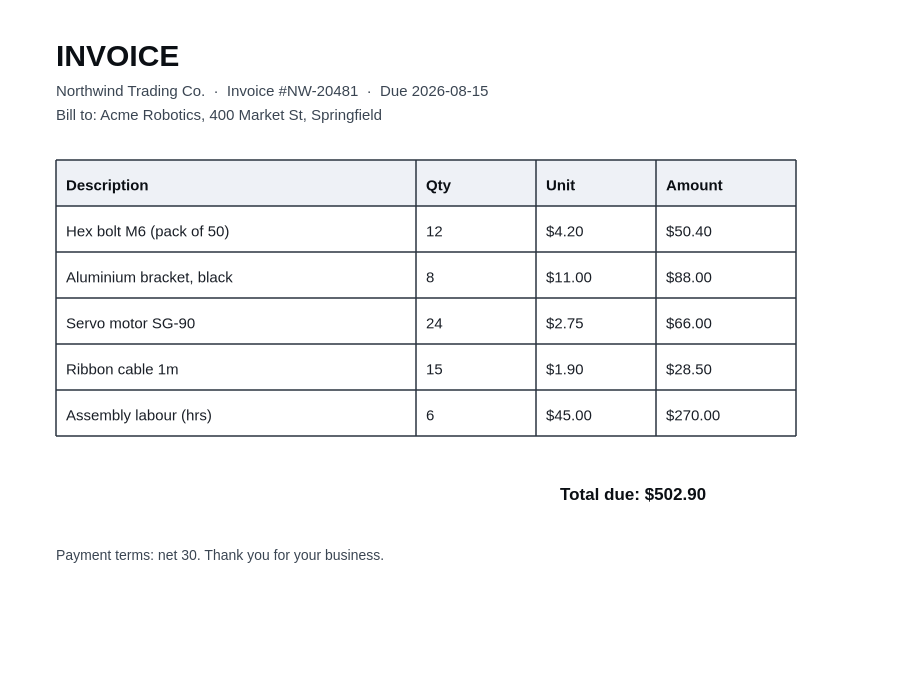
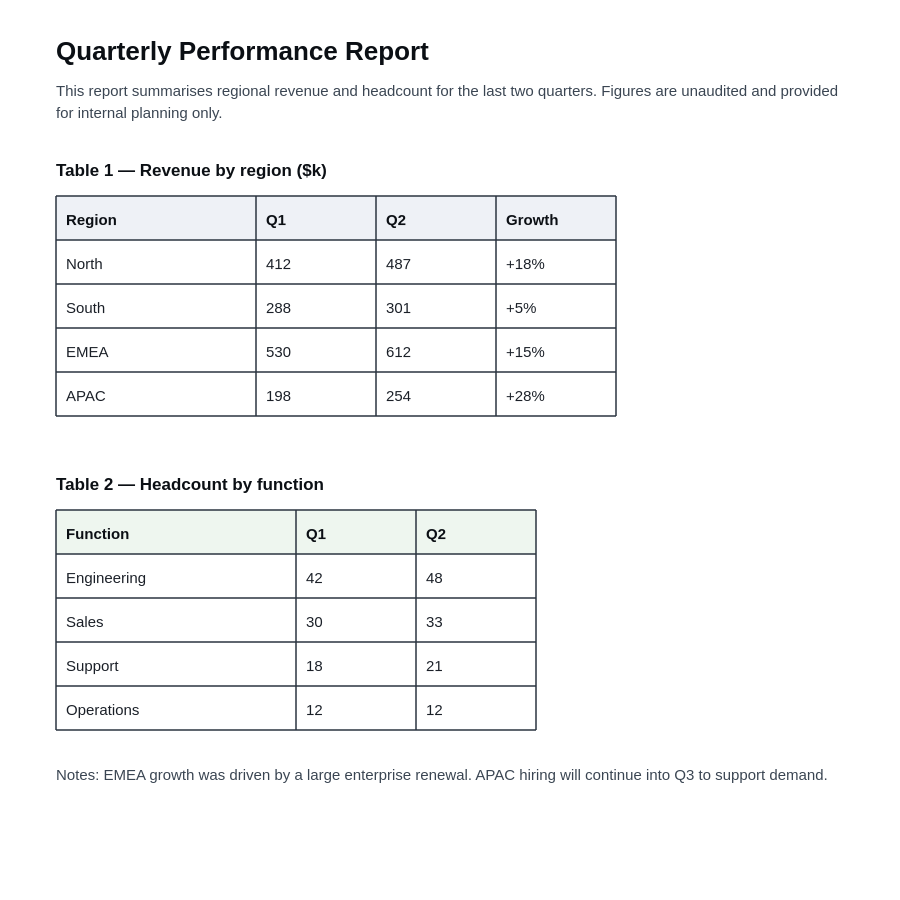
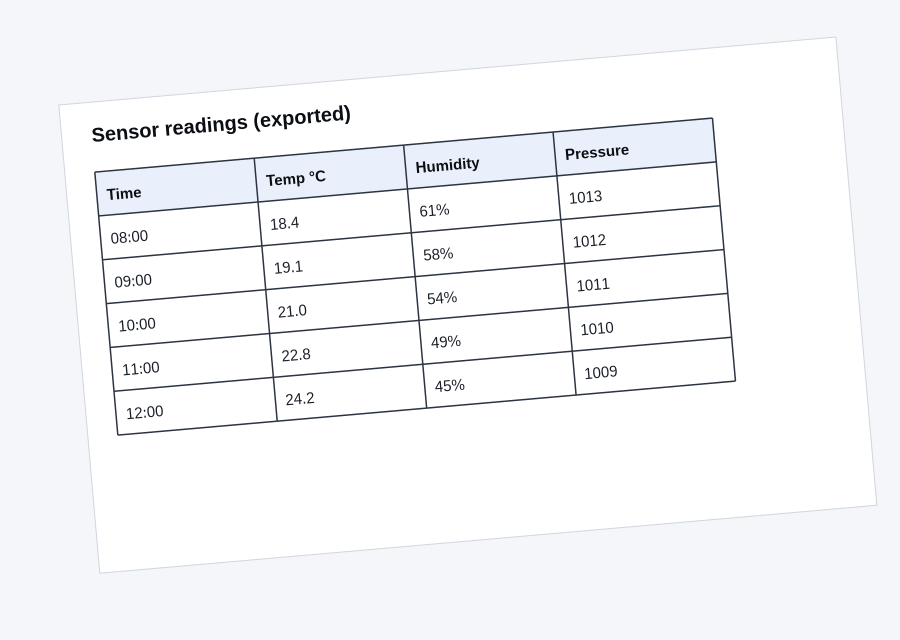
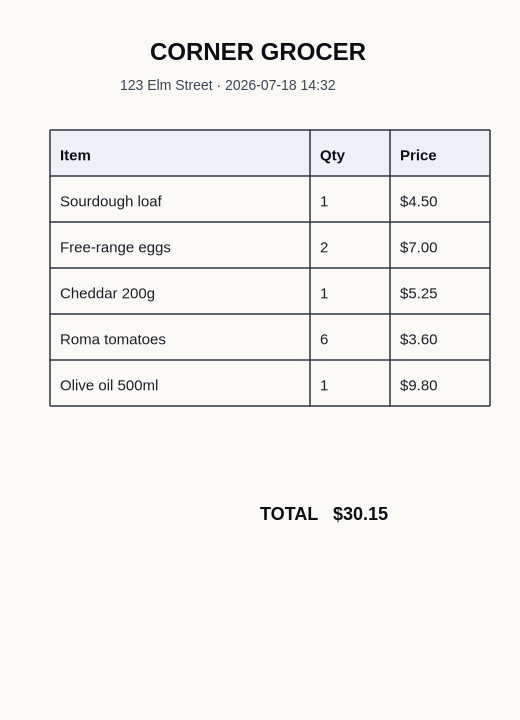
Stage one, on its own. Table Transformer looks at a whole page and answers one question — where are the tables? — with a labelled box and a confidence score for each. Drop a document or screenshot, then drag the threshold to watch weak candidates appear and disappear. Nothing leaves your device.
Exactly what the detector returned above the current threshold — label, score, and box in image pixels.
| # | label | score | x | y | w | h |
|---|