See inside — the raw DocTags stream
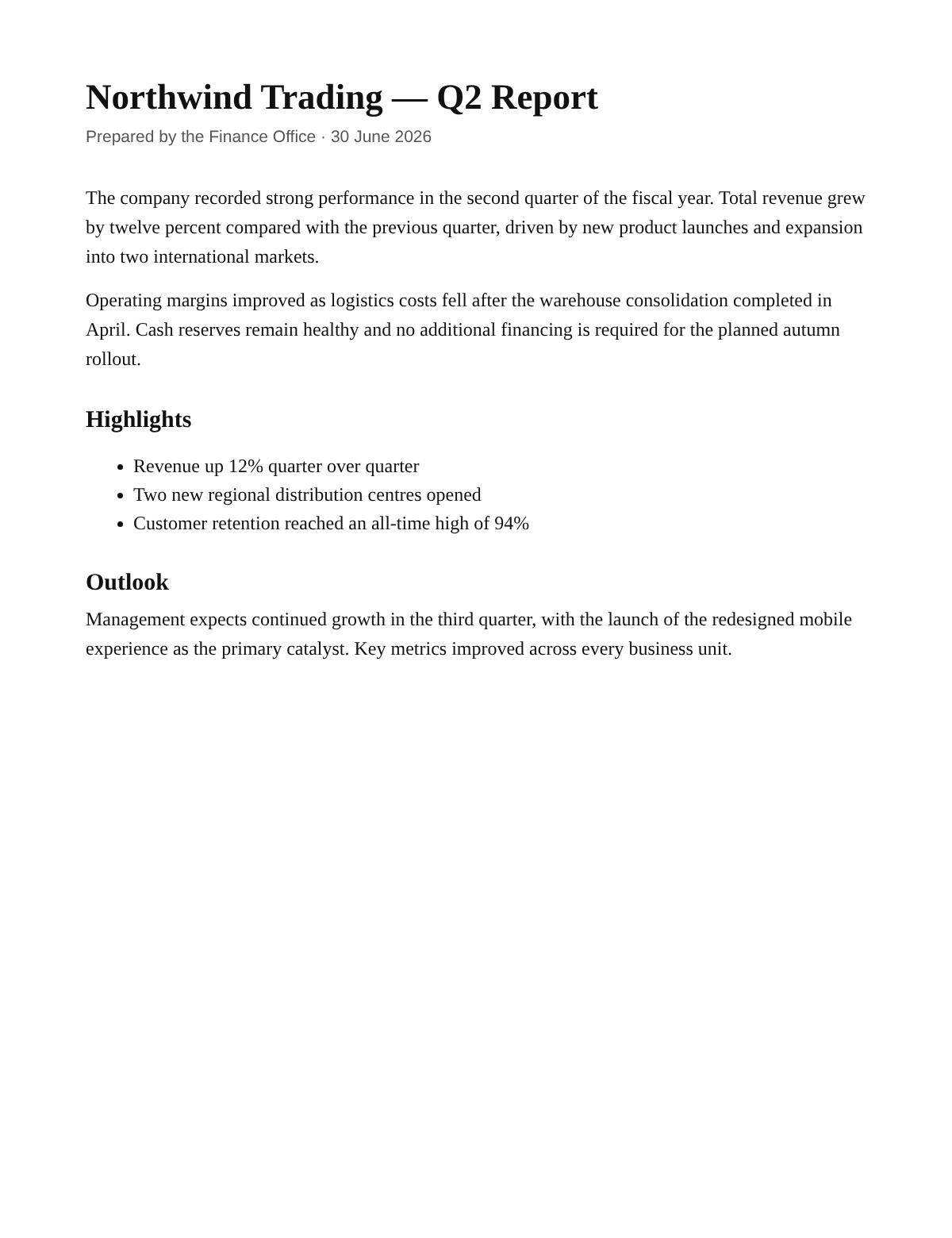
Under the structured view above is a plain autoregressive VLM. The document image is split into
tiles, each turned into image tokens, and the decoder generates one long string of
DocTags — interleaving element tags (<text>,
<otsl>, <formula>) with <loc_n> coordinate
tokens. Below is the exact tag stream the model emits, token by token, plus the real input
tensor shape — so you can watch it lay out the page.
| pixel_values shape | – |
|---|
| prompt tokens (text + image tiles) | – |
|---|
DocTags output
Run a conversion to see the raw DocTags stream.
Why it matters
A flat OCR dump loses the thing that makes a document useful: its structure. DocTags keep
the table a table, the formula a formula, and the heading a heading — with coordinates — so a
document becomes queryable, convertible, and re-flowable. And it happens on-device, privately, for
free:
- Private document conversion — turn scanned pages into structured Markdown / HTML / JSON without shipping confidential documents to a cloud OCR API.
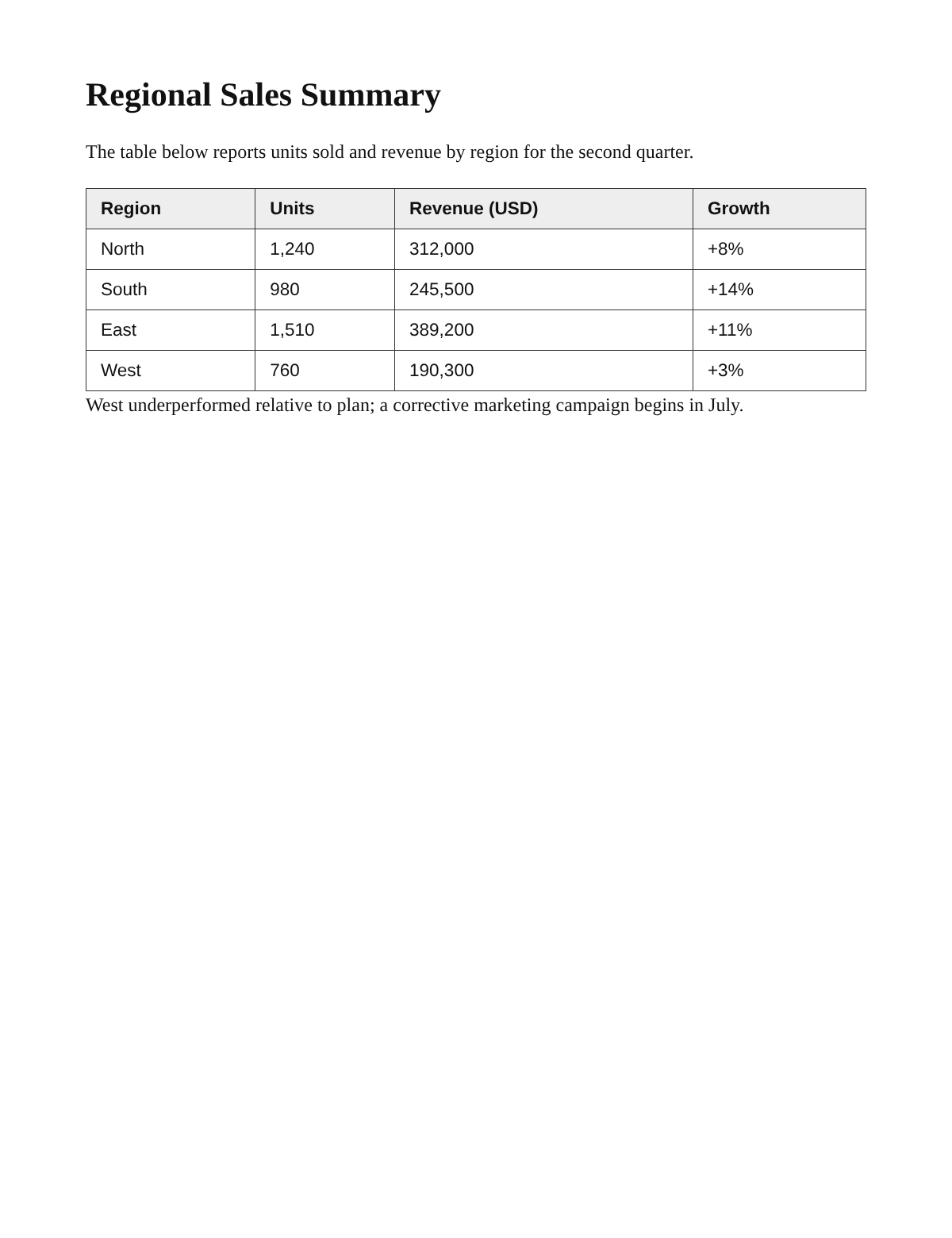
- Table extraction — pull a table straight out of a page image as OTSL cells you can load into a spreadsheet or dataframe.
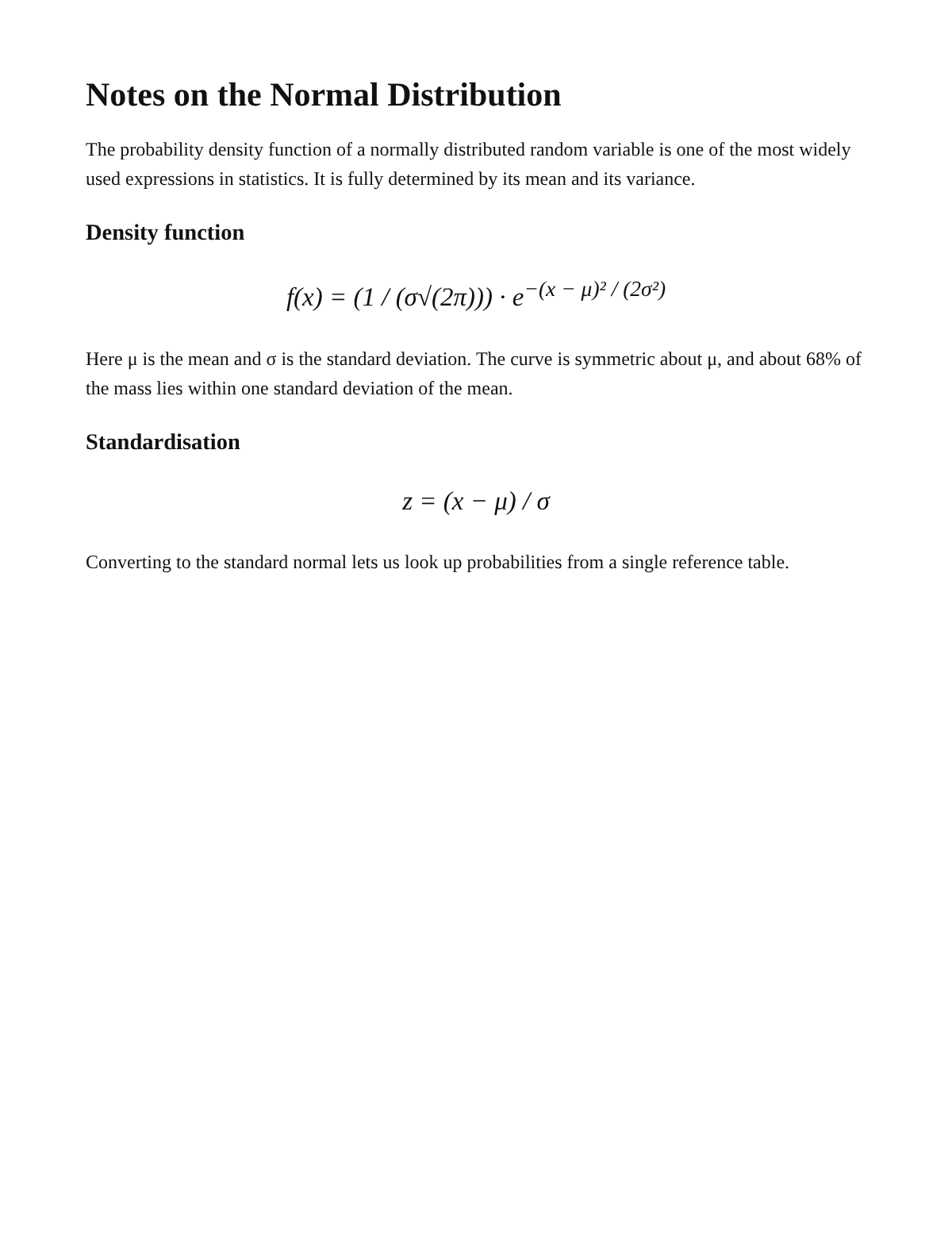
- Formula capture — recover LaTeX from a printed equation for search, accessibility, or re-typesetting.
- RAG over PDFs — feed a document's real structure (not a flat text blob) into an on-device retrieval pipeline so answers cite the right section.
How the API works
SmolDocling uses the standard vision-to-text classes. Build a chat message with the page image and
the "Convert this page to docling." instruction, template it, run the processor, then generate —
streaming the DocTags as they come. Note the v4 pin: its ONNX doesn't load under
Transformers.js 3.x.
import { AutoProcessor, AutoModelForVision2Seq, load_image, TextStreamer }
  from "@huggingface/transformers@4.3.0";   // v4 — 3.x can't load SmolDocling's ONNX

const processor = await AutoProcessor.from_pretrained("docling-project/SmolDocling-256M-preview");
const model = await AutoModelForVision2Seq.from_pretrained(
  "docling-project/SmolDocling-256M-preview",
  { dtype: "q4", device: "webgpu" },   // q4 is the runnable export; q4f16/fp16/int8 are degenerate
);

const image = await load_image(pageURL);
const messages = [{ role: "user", content: [
  { type: "image" }, { type: "text", text: "Convert this page to docling." },
]}];
const text = processor.apply_chat_template(messages, { add_generation_prompt: true });
const inputs = await processor(text, [image]);
// inputs.pixel_values.dims === [1, numTiles, 3, H, W]  ← the split page

const streamer = new TextStreamer(processor.tokenizer,
  { skip_prompt: true, skip_special_tokens: false, callback_function: (t) => append(t) });
await model.generate({ ...inputs, max_new_tokens: 512, streamer });
// → "<doctag><section_header_level_1><loc_43>…Regional Sales Summary</section_header_level_1><otsl>…"
This page runs exactly that, in a Web Worker, and gates on a real WebGPU adapter first — if none exists it shows a labelled needs-WebGPU state instead of a fake answer.